ARtie Lab: AR Drawing & Sketch
Tenet Apps FZCOArt & Design
4.6683.00 Reviews
- Version
- 1.0.4
- Installs
- 1.00M
- Age Rating
- Everyone
Screenshots
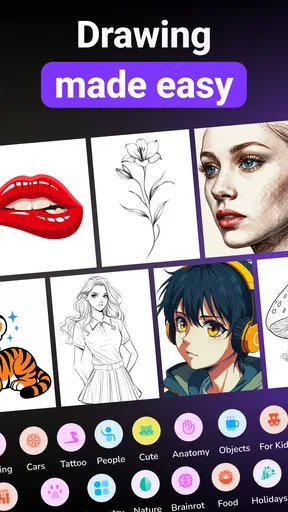
Our Review of ARtie Lab: AR Drawing & Sketch
 Analysis by Appyee
I spent time with ARtie Lab: AR Drawing & Sketch as an art and design app, and its appeal is easy to understand: it gives you a way to use augmented reality as a guide while you practise drawing. Instead of relying only on a blank page and visual memory, you can work from a projected reference and build the image with your own hand. That makes the app feel less like a traditional drawing canvas and more like a bridge between looking, tracing, and learning.
That distinction matters. This is not the kind of tool I would choose when I want a complete digital illustration workspace with layers, brushes, colour correction, and detailed editing controls. I see it as a practice companion for people who want help with proportions, outlines, and confidence. The free entry point makes it easy to try, while optional purchases priced from $9.99 to $29.99 per item mean the real value depends on how much of the experience is useful to you before paying.
How the AR drawing approach feels in everyday use
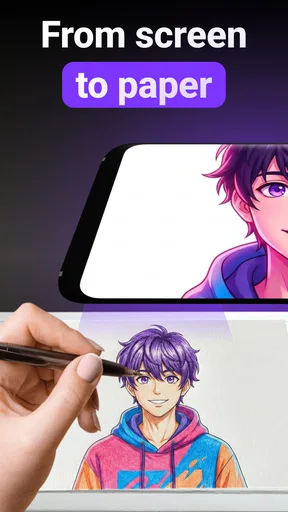
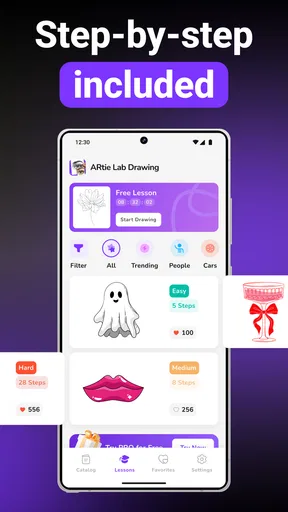
The basic idea is straightforward. You use the camera view to place a drawing reference into your surroundings, then look through the screen while sketching on paper or another physical surface. The reference stays connected to the scene, so you can concentrate on following shapes instead of repeatedly checking a separate image. In practice, that changes the first few minutes of drawing: I spend less time measuring where an outline should begin and more time observing how the parts relate to one another.
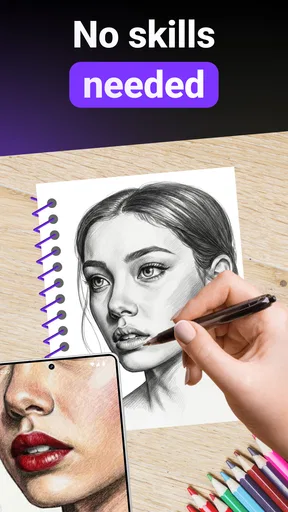
For a beginner, that can remove a surprisingly large amount of hesitation. A blank sheet often creates a problem before the pencil even touches it. You may know what you want to draw but have no idea how large the subject should be, where the centre line belongs, or how to keep both sides balanced. An AR guide gives you a starting structure. It does not draw the picture for you, and your hand still has to make every mark, but it can make the task feel manageable.
I found the concept especially useful for short practice sessions. If I had only a little time, I could set up a reference and work on one element, such as the outer contour or the placement of a feature. That is more practical than opening a full illustration app, choosing a brush, adjusting a canvas, and then spending the available time navigating tools. The focus stays on transferring what I see into a physical sketch.
The camera-based method also introduces a different kind of concentration. You are not simply copying a small image beside your paper. You are trying to keep the phone positioned so the virtual guide remains useful while your hand moves. That makes the experience active and physical, which is a strength for learners who struggle to stay engaged with conventional tutorials. At the same time, it means the setup is part of the process rather than something you can ignore.
What the free starting point really means
ARtie Lab is free to install, and that is important when judging it fairly. You can approach it as a low-risk experiment rather than committing to a subscription or buying an expensive drawing course first. The app is aimed at Everyone, so its presentation and purpose are accessible to a broad audience, including children practising simple shapes and adults returning to drawing after a long break.
There are in-app purchases ranging from $9.99 to $29.99 per item. I would not treat those prices as an automatic reason to reject the app, but I would also avoid assuming that paying will transform it into a professional art suite. The sensible approach is to use the free experience long enough to answer a practical question: does the AR method genuinely help you draw, or do you prefer a normal reference image and your own measuring techniques?
That distinction separates free access from paid value. The free version gives you a chance to understand whether the camera-guided workflow suits your habits. A purchase may be worthwhile for someone who returns often and wants more from the app, but the value is personal because the central benefit is the method itself. If you dislike holding a phone in position while drawing, extra content will not solve that basic mismatch.
Where it delivers more than a normal reference image
A standard reference image is flexible and familiar. You can place it beside your paper, zoom in, rotate it, or print it. ARtie Lab’s advantage is that the reference can become part of the drawing surface in your view. That can help with scale and placement in a way that a separate image does not always provide. For someone who repeatedly starts too small or lets a subject drift across the page, this visual relationship is the most meaningful reason to try it.
Another benefit is the reduced distance between seeing and doing. When the guide is aligned with the area where you are working, your eyes can move between the projected shape and your pencil marks without constantly shifting to a second device or sheet. I found that useful for simple studies where the goal was not artistic originality but learning how forms are constructed.
There is also a psychological benefit that a conventional drawing app cannot reproduce in quite the same way. Drawing digitally can feel safe because mistakes are reversible, but that can encourage endless correction. Working on paper through an AR guide keeps the result physical. You still have to make decisions, accept imperfect lines, and develop control. For a learner, that makes the app more valuable as a bridge toward hand drawing rather than merely another place to produce a polished image.
The strongest value is not automatic accuracy; it is the way the app turns a vague drawing task into a visible sequence of manageable decisions. You can begin with placement, move to the main outline, and then add smaller details. That workflow is more useful than simply tracing without thinking, because it encourages you to notice structure while you work.
Three practical ways I would use it
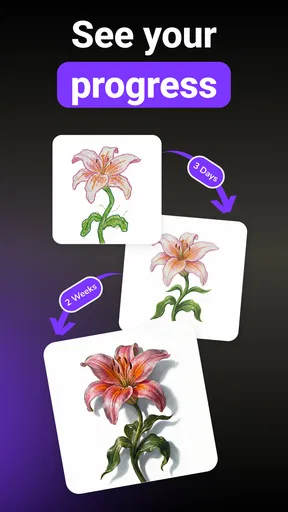
My first use case would be a short evening exercise. I would choose one subject, keep the session focused on its outer shape, and avoid trying to finish a complex illustration. This prevents the AR guide from becoming a crutch for every tiny detail. After completing the sketch, I would hide the reference and redraw the same subject from memory. Comparing the two attempts would reveal whether I actually understood the proportions or merely followed lines.
A second use would be planning a handmade project. If I wanted to sketch an object for a card, notebook cover, or room decoration, an AR guide could help me test the size and position before committing to the final page. The useful trade-off here is speed versus freedom: the guide can help establish a clean starting arrangement, but I would then move away from it and add my own changes rather than treating the reference as a finished design.
The third is family practice. Because the app has an Everyone content rating and a simple visual purpose, it can make a shared drawing session less intimidating for a child or a parent who says they cannot draw. I would still supervise younger users around the phone and keep expectations realistic. The app can support practice, but it cannot replace encouragement, patience, or learning how to observe.
A less obvious technique is to use the guide only for construction lines. Instead of tracing the complete visible image, I would identify the largest shapes, mark their relationships lightly, and then switch to freehand work. This preserves the helpful alignment while reducing dependence. Over time, that approach should make it easier to draw without the app, which is a better long-term outcome than producing accurate copies that do not improve your observation skills.
The friction you should expect before deciding
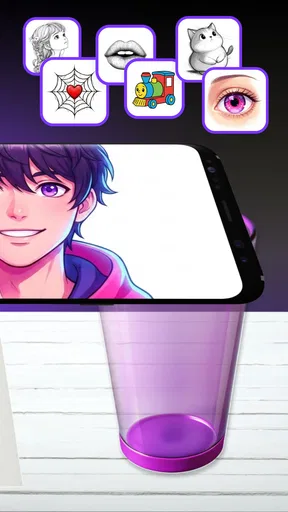
The camera-based workflow is also the app’s main limitation. Your phone has to remain useful as a viewing window while you draw, and that can be awkward. A stand or stable support would make the process more comfortable, but adding one changes the convenience equation. If you expect to hold the device in one hand and draw smoothly with the other, the experience may feel more frustrating than helpful.
Lighting and the physical surface will also affect how comfortable the session feels. A busy background, glare, or an unstable drawing position can make the projected guide harder to follow. These are not reasons to blame the app, but they are real parts of using an AR drawing tool. I would set up on a clear, well-lit table and prepare the paper before opening the camera view. A few seconds of preparation saves more annoyance than repeatedly adjusting the phone halfway through a line.
There is a creative trade-off as well. Guided drawing can improve confidence, but it may encourage copying instead of interpretation. If you use the app only to reproduce what is shown, you may finish with a neat sketch while learning little about form, perspective, or visual decision-making. I would treat the guide as scaffolding: useful at the beginning, gradually reduced as your control improves.
It is also not the right choice for every kind of artist. Someone who already works comfortably from references may gain more from a dedicated drawing app with advanced editing tools. Someone looking for animation, painting effects, typography, or professional file management should compare it with established creative software instead. ARtie Lab’s purpose is narrower, and that narrowness is both what makes it approachable and what limits its usefulness for advanced work.
How it compares with familiar alternatives
Compared with drawing from a printed picture, the AR approach can make placement more immediate, especially when you are trying to keep the subject at a particular size on the page. Printing is still better when you want a stable reference that you can annotate, keep beside you, and revisit without using a phone. It is also less dependent on camera positioning.
Compared with a regular drawing app, ARtie Lab encourages a physical result rather than a digital one. A tablet drawing app is usually the better choice for undo controls, experimenting with colour, and refining a finished illustration. This app is better suited to someone who wants to practise pencil control or create on paper while receiving visual guidance.
Compared with online drawing tutorials, the app offers more immediate alignment with your own workspace, but a tutorial may explain why a line belongs where it does. If your main problem is understanding anatomy, perspective, shading, or composition, instruction will probably provide deeper learning. If your main problem is getting started and keeping proportions connected, the AR method may be more immediately useful.
That is why I would not call it a replacement for drawing education or professional software. I see it as a focused tool between a reference image and a lesson. It helps with the physical act of beginning, and it can make repetitive practice feel more interactive. Its value is highest when that is exactly the obstacle you are facing.
Who is most likely to get their money’s worth
Beginners are the clearest audience. If you often say that your drawings look wrong even when you know what the subject should look like, the guide can help you identify where proportions begin to drift. Casual hobbyists may also enjoy it because it turns a spare half-hour into a structured activity without demanding a large digital art setup.
Parents and educators could find it useful for introducing drawing through observation rather than simply handing a child a colouring activity. The app’s Everyone rating makes it appropriate to consider for a broad audience, although the quality of the session will still depend on explaining that the goal is practice, not perfect copying.
It may also suit people who own a phone but do not have a tablet or stylus. Since the intended result is a drawing on a physical surface, you can explore the concept without investing in a complete digital art workstation. That is a meaningful advantage for someone who wants to test whether regular drawing is worth pursuing before buying specialised equipment.
I would be cautious about paying for additional items if you only plan to use it once or twice. The free access is enough to judge whether the setup feels natural. On the other hand, a frequent learner who enjoys guided exercises and returns to the app as part of a routine may find the paid options easier to justify. I would make that decision after repeated use, not from the promise of a single impressive first session.
Device and app details worth checking
The app comes from Tenet Apps FZCO and is currently listed as version 1.0.4. It requires Android 7.0 or later, so anyone with an older Android device should check compatibility before planning a drawing session. Since the experience depends on the camera view, I would also test it in the actual place where I intend to draw rather than assuming that installation alone guarantees a comfortable setup.
Its public reception is encouraging, with a 4.6 average from around 46 thousand ratings and more than 500 thousand installs. Those figures suggest that the concept has attracted substantial interest, but they should not replace your own trial. AR tools can feel excellent to one person and inconvenient to another depending on drawing habits, available space, and tolerance for holding a device in position.
The app was released on May 28, 2026, so I would keep expectations appropriate for a relatively new product. The current version may improve over time, but I would judge what is available now rather than buying based on possible future additions. That is especially important when optional purchases are involved.
My buy-or-skip verdict
I would recommend trying ARtie Lab if you are a beginner, want to draw on paper, and need help with placement and confidence. The free starting point makes that recommendation easy: you can test the central AR workflow before deciding whether it belongs in your routine. Use a stable surface, keep the first exercises simple, and deliberately practise without the guide afterward so the app supports learning instead of replacing it.
I would skip it if you want a full digital illustration studio, advanced editing, or a tool that explains artistic concepts in depth. I would also skip the paid items until you have confirmed that the camera-guided process is comfortable in your everyday environment. No optional purchase can remove the basic trade-off between visual guidance and physical setup.
My overall view is positive but specific. This is a focused art and design app, not an all-purpose creative platform. Its best contribution is making the first stages of drawing less mysterious while keeping the result tangible. For the right user, that is enough to turn occasional interest into regular practice. For an experienced digital artist, it will probably feel limited. If your main barrier is starting a drawing on paper, try the free experience first; if your goal is professional digital production, choose a different kind of tool.
Privacy and Permissions
See what permissions an app requests and how it handles your data.
- Camera
- take pictures and videos
- Other
- view network connections, control flashlight, full network access, run at startup, prevent device from sleeping, Google Play license check, read Google service configuration
Verdict
Strengths of ARtie Lab: AR Drawing & Sketch
- Turns simple sketches into engaging augmented-reality scenes.
- Useful for practicing proportions, tracing, and basic drawing techniques.
- Works well for quick creative projects and casual experimentation.
- AR overlays make drawing sessions more interactive than standard tutorials.
- Suitable for beginners who want guidance without formal art lessons.
Limitations of ARtie Lab: AR Drawing & Sketch
- AR accuracy can vary with lighting, surfaces, and device camera quality.
- Some features or content may require in-app purchases or subscriptions.
- Extended drawing sessions may drain the battery quickly.
- The overlay can become distracting when creating detailed artwork.
- Compatibility and performance may differ across Android and iOS devices.
Similar Picks in This Category
View All
Canva: AI Photo & Video Editor
Canva4.8

PENUP – Drawing-sharing SNS
Samsung Electronics Co., Ltd.4.5

Crafto
Kutumb App4.6

Sketchbook
Sketchbook4.1

ibis Paint X
ibis inc.4.5

Adobe Express: AI Photo, Video
Adobe4.6
Frequently Asked Questions
What is ARtie Lab: AR Drawing & Sketch, and how does it work?
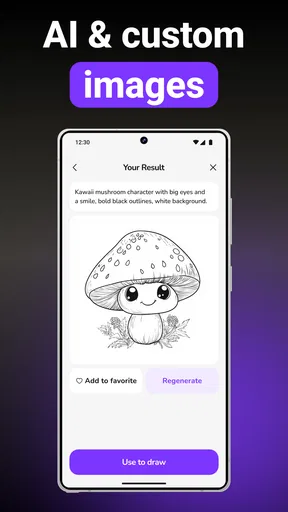
ARtie Lab: AR Drawing & Sketch is a mobile augmented-reality tool designed to help users draw, trace, and sketch with guidance from their phone or tablet camera. After selecting or importing an image, the app places a virtual reference over the real-world surface, allowing you to follow the projected lines on paper or another suitable surface. It is intended as a drawing aid rather than a fully automatic art generator.
Do I need any special equipment to use ARtie Lab?
No special drawing hardware is generally required, but the app works best with a device that has a reliable camera, motion sensors, and a reasonably bright display. You will also need a stable surface, paper, and drawing tools. A phone stand or tripod can be very helpful because keeping the camera fixed makes the augmented reference more accurate and prevents the image from shifting while you are sketching.
Can beginners use ARtie Lab, or is it better for experienced artists?
ARtie Lab can be useful for complete beginners because it provides visual guidance and helps with proportions, placement, and basic outlines. At the same time, experienced artists may use it to plan compositions or practice unfamiliar subjects. However, the app does not replace learning fundamentals such as shading, perspective, and anatomy, so users should treat it as a supporting tool rather than a complete drawing course.
Does ARtie Lab require internet access, and is it free to use?
The exact availability of features can depend on the version of ARtie Lab and the platform where it is downloaded. Basic camera-based drawing functions may work without a continuous connection, while image libraries, cloud features, advertisements, or premium tools may require internet access. Before downloading, check the official store listing for current pricing, subscriptions, in-app purchases, and any limitations on free content.
What privacy and permission considerations should I know before downloading it?
Because ARtie Lab uses augmented reality, it will normally need access to your device camera and possibly photos or storage if you choose to import reference images. Grant only the permissions needed for the features you intend to use, and review the app’s privacy policy and store disclosures before creating an account or uploading artwork. Avoid scanning private locations or sharing images containing sensitive personal information.
